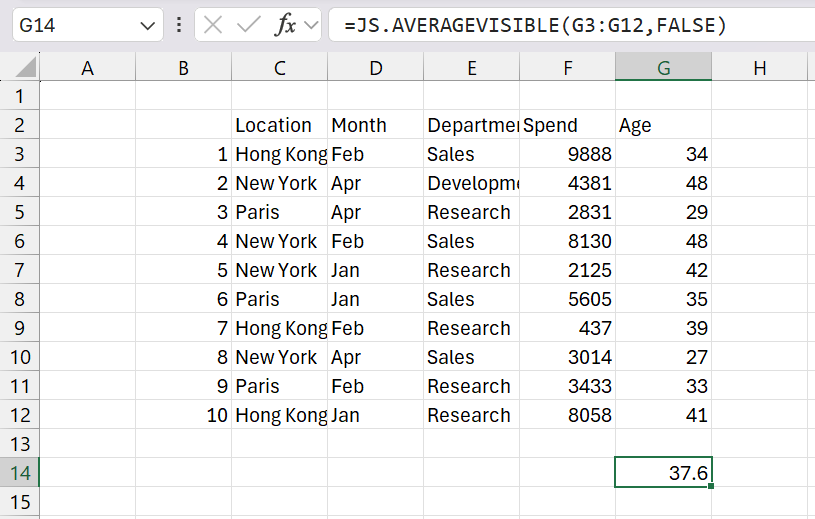
AVERAGEVISIBLE

AVERAGEVISIBLE(rgeValues)
Returns the average value from the visible, non blank cells.

rgeValuesThe unit

REMARKS
* This function excludes hidden cells caused by AutoFilter, Grouping or that have been Manually Hidden.
* You can use the built-in AVERAGE function to include hidden cells.
* You can use the user defined AVERAGEVISIBLEA function to returns the average value from non blank cells.
* You can use the user defined AVERAGEVISIBLEIFS function to returns the average value from non blank cells that satisfy multiple conditions.
* You can use the user defined AVERAGETOP function to return
* Similar to the COUNTVISIBLE, MAXVISIBLE, MINVISIBLE, MEDIANVISIBLE, and SUMVISIBLE functions.

 A
1??

Public Function AVERAGEVISIBLE( _ 
         ByVal rgeValues As Range) _
         As Double
Dim rgeCell As Range
Dim ltotalcells As Long
Dim dbtotalvalue As Double
Dim dbaverage As Double
   Application.Volatile
   For Each rgeCell In rgeValues
      If (rgeCell.EntireRow.Hidden = False) And _
         (rgeCell.EntireColumn.Hidden = False) Then
         
         If (Len(rgeCell.Value) > 0) Then
            If (rgeCell.Value <> "True") And _
               (rgeCell.Value <> "False") And _
               (Application.WorksheetFunction.IsText(rgeCell.Value) <> True) Then
               
               dbtotalvalue = dbtotalvalue + rgeCell.Value
               ltotalcells = ltotalcells + 1
            End If
         End If
      End If
   Next rgeCell
   dbaverage = (dbtotalvalue / ltotalcells)
   AVERAGEVISIBLE = dbaverage
End Function

Public Function AVERAGEVISIBLE2( _
         ByVal rgeValues As Range) _
         As Double
Dim dbaverage As Double
   dbaverage = Application.WorksheetFunction.Aggregate(1, 5, rgeValues)
   AVERAGEVISIBLE2 = dbaverage
End Function

© 2026 Better Solutions Limited. All Rights Reserved. © 2026 Better Solutions Limited TopPrevNext