Dates & Times
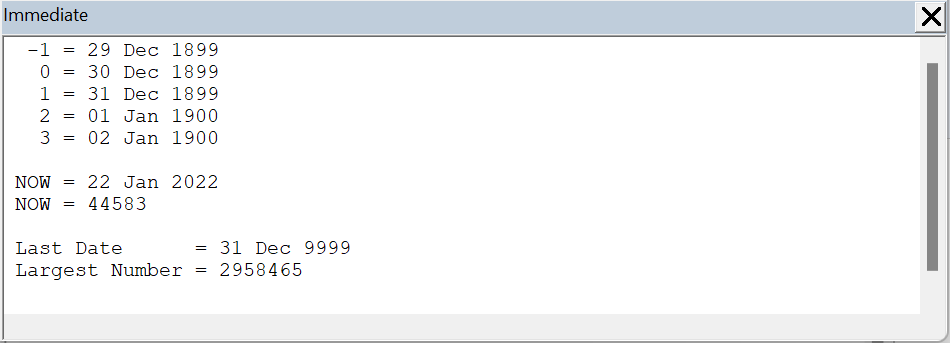
In VBA dates are represented as sequential whole numbers.
The Date data type supports dates from 1 January 1900 to 31 December 9999.
A whole number represents the number of days since 1 January 1900.
A negative whole number represents dates before 30 December 1899.
 |
In VBA times are represented as decimal fractions.
The Date data type supports times from 0:00:00 to 23:59:59 are supported.
This decimal represents the amount of time that has passed since midnight.
Date - Data Type
If you are working with BOTH date AND time components declare these variables with the Date data type.
The Date data type uses decimal numbers to represent the date AND time.
The Date data type uses 8 bytes.
Dim dt_Date1 As Date
Dim dt_Date2 As Date
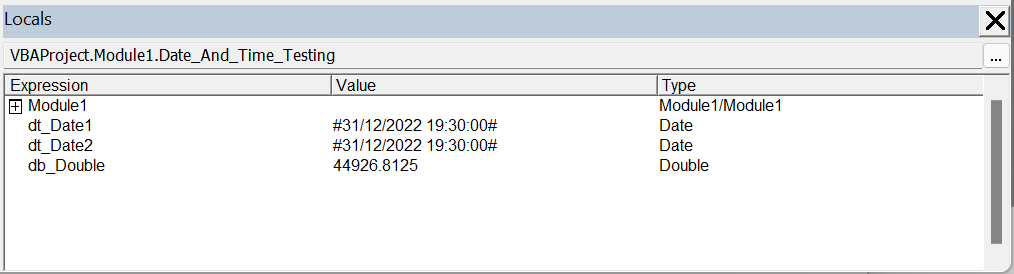
dt_Date1 = CDate("31 December 2022 07:30:00 PM")
dt_Date2 = #12/31/2022 7:30:00 PM#

Dim db_Double As Double
db_Double = CDbl(dt_Date1)
To access the actual number, convert your Date into a Double using the CDbl conversion function.
 |
Long - Data Type
If you are ONLY WORKING with dates (no time component) you can declare these variables with the Long data type.
Because dates are represented as whole numbers you could use the Long data type as an alternative to using the Date data type.
The reason some people might do this is because the Long data type is only 4 bytes (compared to the Date data type which is 8 bytes).
You cannot use an Integer data type because the whole numbers can be greater than 32,767.
The Long data type uses 4 bytes.
Dim l_Long1 As Long
Dim l_Long2 As Long
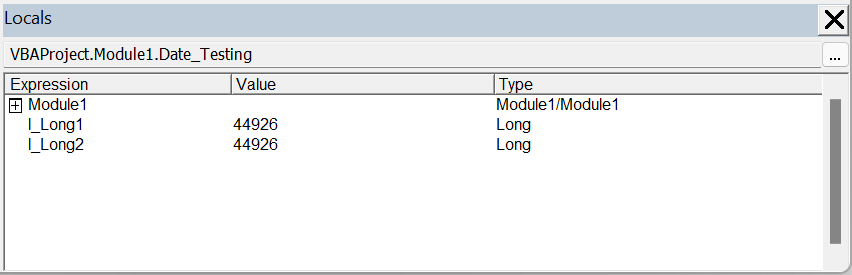
l_Long1 = CDate("31 December 2022")
l_Long2 = DateSerial(2022, 12, 31)
 |
Single - Data Type
If you are ONLY WORKING with times (no date component) you can declare these variables with the Single data type.
Because times are represented as decimal numbers you could use the Single data type as an alternative to using the Date data type.
The reason some people might do this is because the Single data type is only 4 bytes (compared to the Date data type which is 8 bytes).
The Single data type uses 4 bytes.
Dim sng_Single1 As Single
Dim sng_Single2 As Single
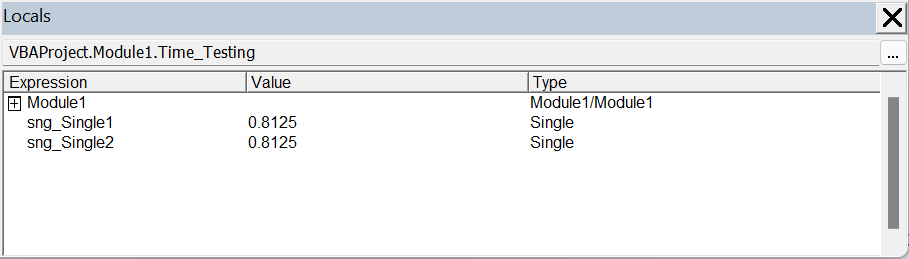
sng_Single1 = CDate("07:30:00 PM")
sng_Single2 = TimeSerial(19, 30, 0)
 |
© 2026 Better Solutions Limited. All Rights Reserved. © 2026 Better Solutions Limited TopNext