Book.xltx
These are the steps for always opening Excel with Manual Calculation.
Step 1 - Create a Blank Workbook
Create a new blank workbook.
This should have the number of worksheets you would like to appear in your default workbook.
This should contain any default headers and footers, page setup informattion, formulas, macros, styles, appropriate formatting, etc etc
SS
Step 2 - Change the Calculation
Change the workbook calculation to "Manual".
Select (File > Options)(Formulas tab)
SS
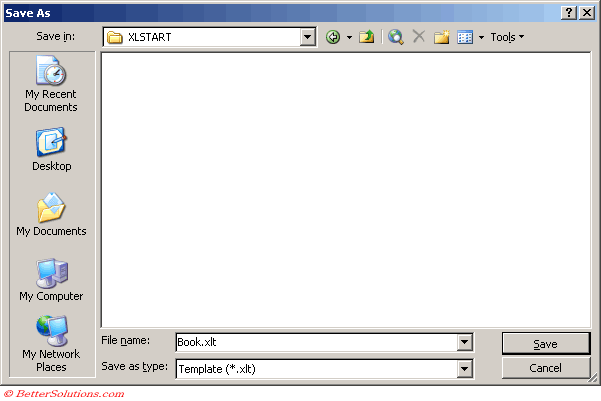
Step 3 - Save in the Startup Folder
Save this workbook with the name Book.xltx and save it in your Startup Folder.
Save this workbook with the filename "book1.xltx" to your startup folder.
Excel 365 - C:\Users\"user name"\AppData\Roaming\Microsoft\Excel\XLStart\
Excel will then use this template instead when you create a blank workbook.
 |
Close and reopen Excel to test.
© 2026 Better Solutions Limited. All Rights Reserved. © 2026 Better Solutions Limited TopPrevNext