Class Module Level
This example shows you how to create a class that contains a user defined event.
This requires three components.
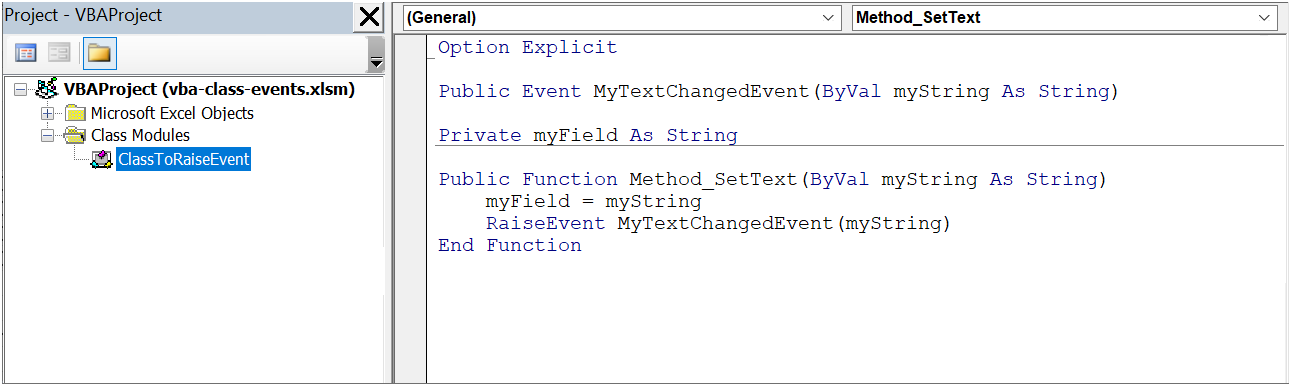
ClassToRaiseEvent - This is a class module that contains an object that raises a user defined event.
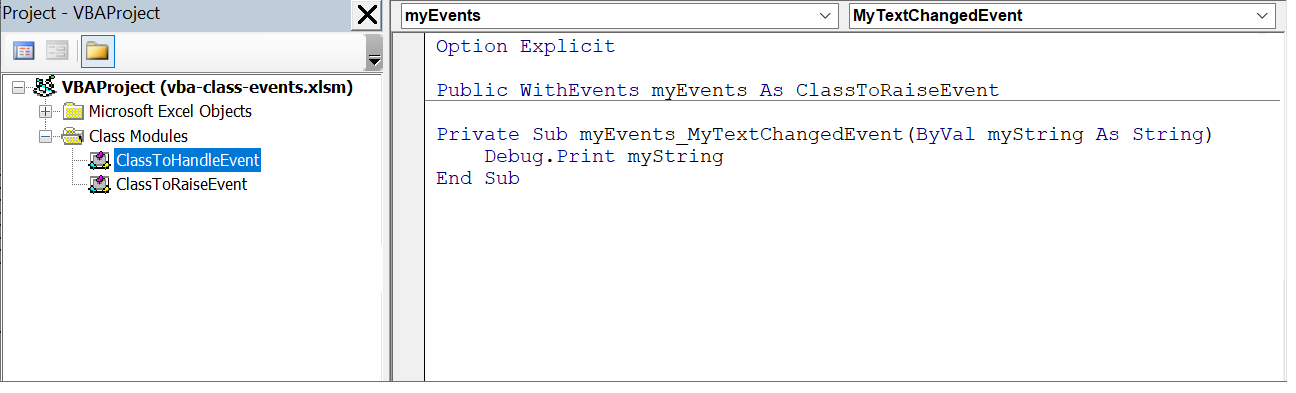
ClassToHandleEvent - This is a class module that contains the code that handles the event.
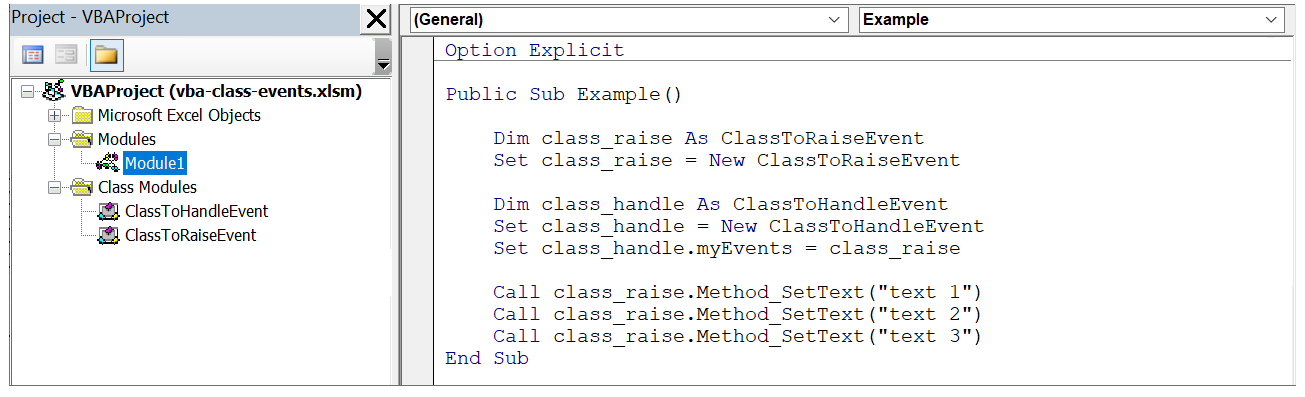
Module1 - This is a standard module that contains the code that creates the two classes and calls the corresponding method.
Class Module - ClassToRaiseEvent
Often referred to as the Provider.
Create a new class module called "ClassToRaiseEvent".
Declare the event that you want to be raised using the Event keyword. In this example the event is called "MyTextChangedEvent".
Create an internal field called "MyField".
This field will be used to hold a text string (inside the object/class).
Create a Method called "Method_SetText".
This method will assign a text string to that field and use the keyword "RaiseEvent" to trigger the MyTextChangedEvent event.
This event will be raised every time the method is called.
 |
Class Module - ClassToHandleEvent
Often referred to as the Client.
Create a new class module called "ClassToHandleEvent".
Define a variable that has the type "ClassWithAnEvent" and add the WithEvents keyword, to indicate that this instance can raise events.
Once the WithEvents variable has been declared this object will appear in the top left drop-down.
Create an event handler for the MyTextChangedEvent.
 |
Standard Module - Module1
Create a new standard module called "Module1".
Declare a subroutine called "Example".
Declare a variable of type "ClassToRaiseEvent".
Create a new instance of this object and assign it to a variable called "class_raise".
Declare a variable of type "ClassToHandleEvent".
Create a new instance of this object and assign it to a variable called "class_handle".
Assign the myEvents variable to the new "ClassToRaiseEvent" variable.
Call the method (3 times) that changes the text string and triggers the event.
 |
Select (Debug > Compile) and then run the subroutine.
Display the Immediate window to see the Debug.Print entries.
© 2026 Better Solutions Limited. All Rights Reserved. © 2026 Better Solutions Limited TopPrevNext