Chart Types - Bar
Good for displaying the same item at several different points in time.
Good when you want to emphasis big differences between positive and negative.
Each horizontal bar represents a value in a data series.
This is useful for showing the differences between values.
Series Options
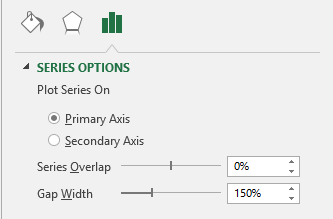 |
Plot series on primary axis -
Plot series on secondary axis -
Series overlap -
Gap Width -
Fill
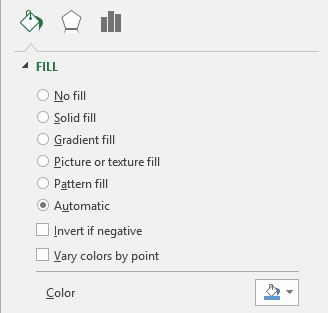 |
No fill - Makes the series transparent with no fill colour
Solid fill - Color, Transparency
Gradient fill - Preset gradients, Type, Direction, Angle, Gradient Stops, Color, Position, Transparency, Brightness, Rotate with shape.
Picture or texture fill - Insert picture from file, Insert picture from clipboard, Insert picture from online, Texture, Transparency, Stretch, Stack, Stack and scale with, Units/picture, Offset left, Offset right, Offset top, Offset bottom, Rotate with shape.
Pattern fill - Pattern, Foreground, Background Automatic - Color
Invert if negative - Lets you show a different colour/format for positive and negative values. If you have "Automatic" chosen then a negative value will be shown with no colour. If you have "solid fill" chosen then you can choose a fill colour for positive and a different fill colour for negative.
Vary colors by point - Only enabled when you have one series.
Border
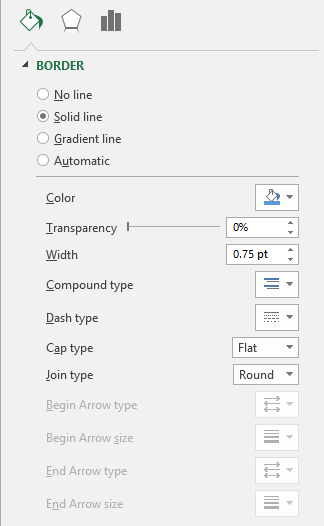 |
No line - No border line is displayed
Solid line - Color, Transparency, Width, Compound type, Dash type, Cap type, Join type. The four Arrow options are never enabled for column charts.
Gradient line - Preset gradients, Type, Direction, Angle, Gradient stops, Color, Position, Transparency, Brightness, Width, Compound type, Dash type, Cap type, Join type. The four Arrow options are never enabled for column charts.
Automatic - Color, Transparency, Width, Compound type, Dash type, Cap type, Join type
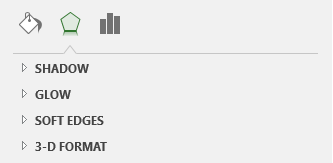
Effects
Refer to the Page - Chart Formatting > Effects
 |
3D Bar Chart
It is possible to create 3D charts in Excel.
Not all 3D charts have to actually have a third dimension (and have a third axis).
3D charts will often have three axes corresponding to the height, width and depth of the chart.
Wall and Floor only applicable to 3D charts.
The wall can be formatted separately from the plot area.
The floor can be formatted separately from the plot area.
You can also select (Chart > 3D View) to display the 3D view dialog box.
You can change the rotation of the charts as well as the elevation and perspective
© 2026 Better Solutions Limited. All Rights Reserved. © 2026 Better Solutions Limited TopPrevNext