Comparing Files
If you want to compare two text files this can be easily done using VS Code.
Save the two files into the same folder.
Open VS Code and select (File > Open Folder).
Browse to the folder and select one of the files.
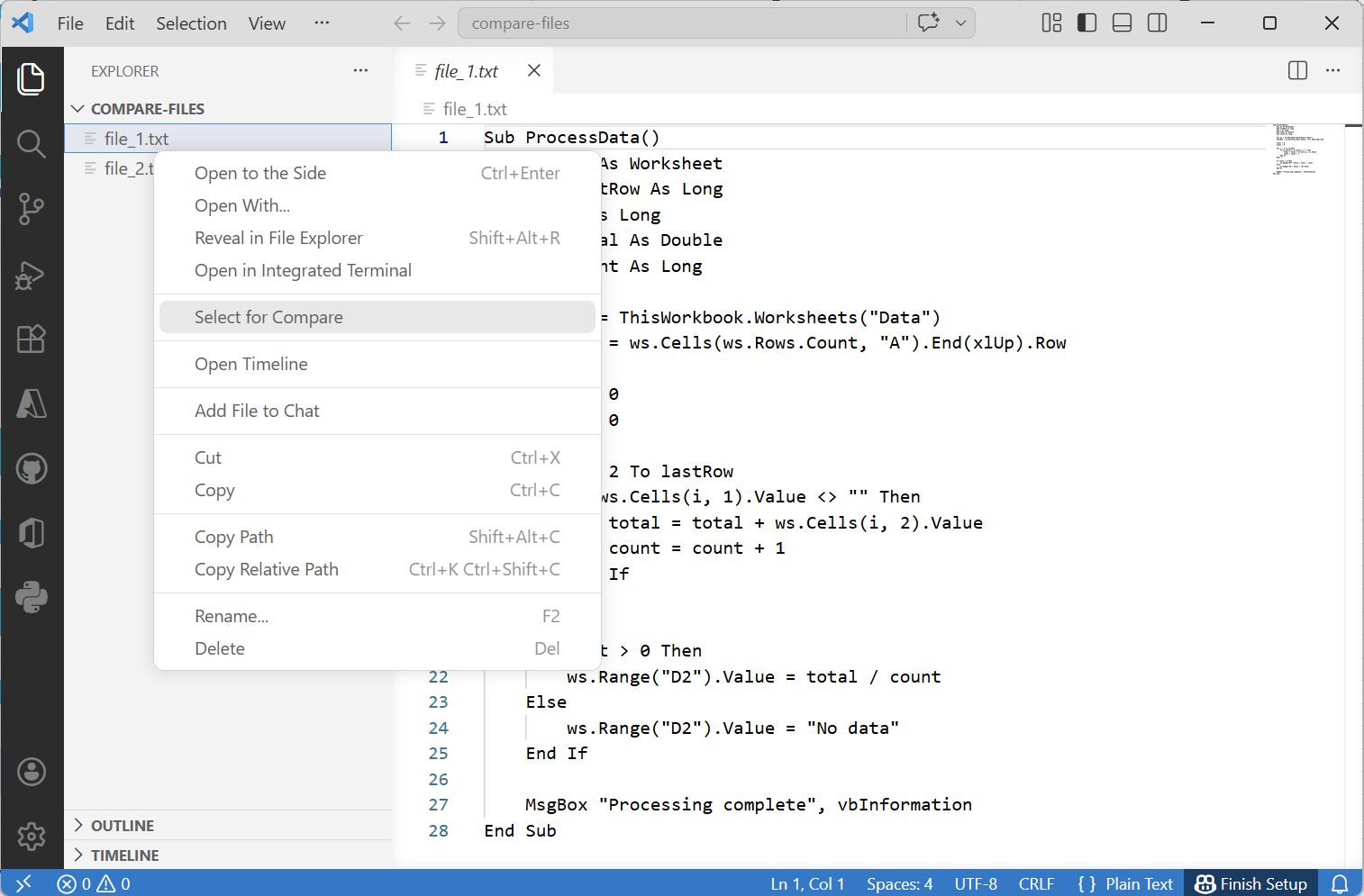
Right mouse click and choose "Select for Compare".
 |
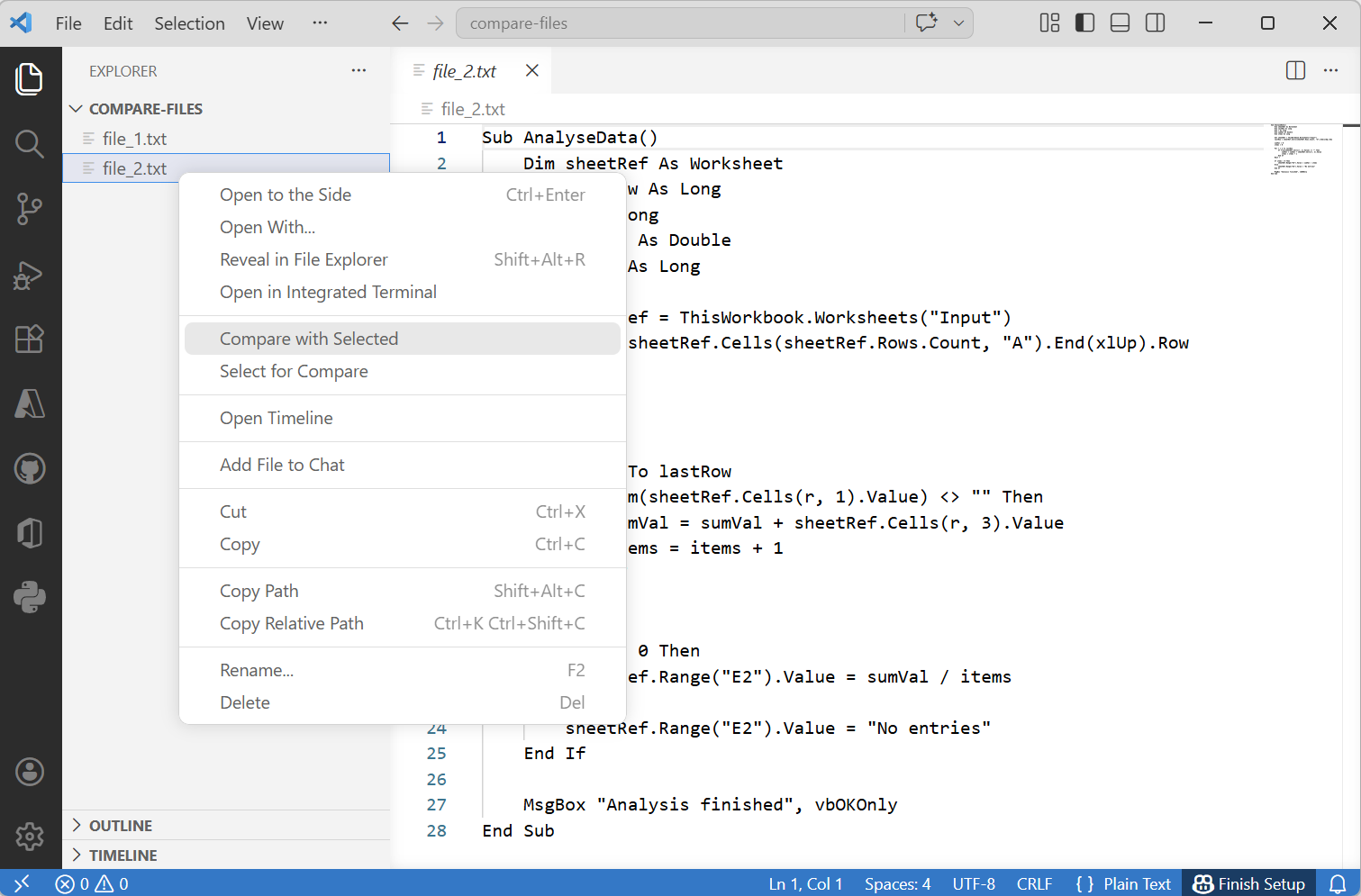
Select the other file.
Right mouse click and choose "Compare with Selected".
 |
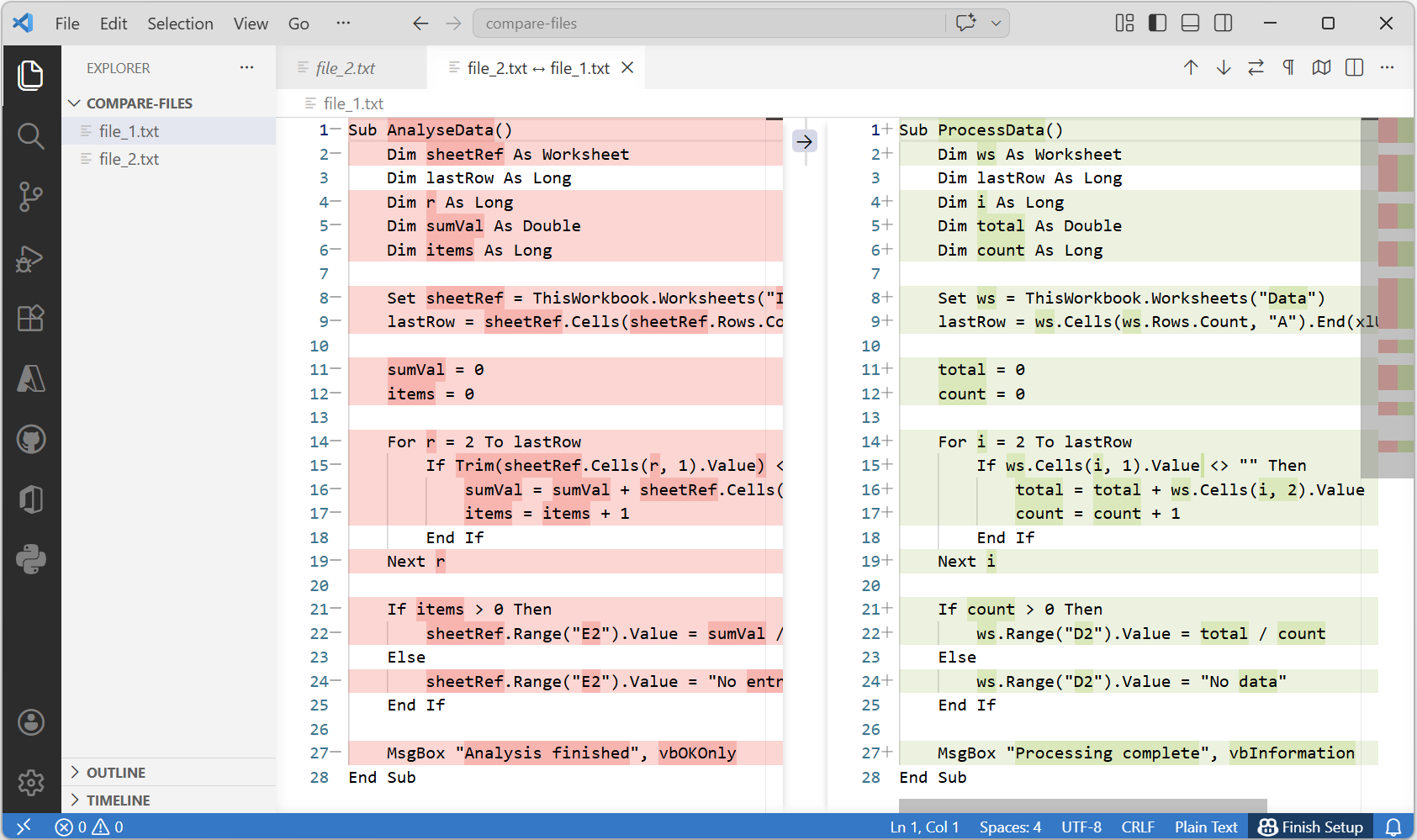
All the differences will be displayed.
 |
If they are BAS files you may have to Find (\") and replace with (").
© 2026 Better Solutions Limited. All Rights Reserved. © 2026 Better Solutions Limited TopPrevNext