Installing
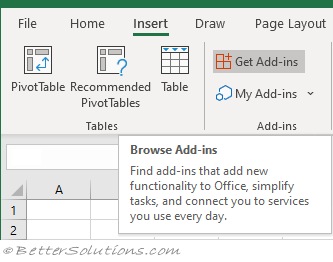
Select the Insert tab and find the Add-ins group. Click "Get Add-ins".
 |
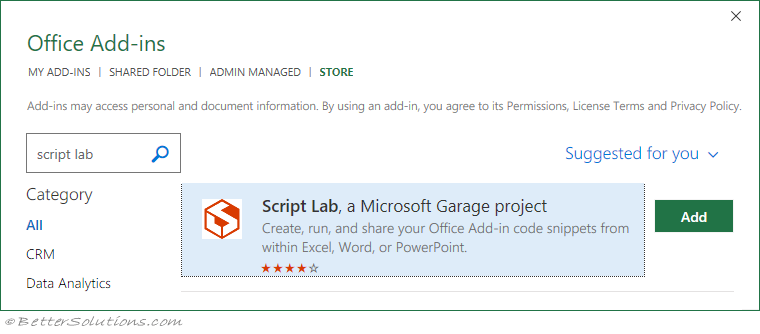
A new window will be displayed called Office Add-ins.
Select the "STORE" tab at the top and in the search box type "script lab".
Find the app called "Script Lab, a Microsoft Garage project".
 |
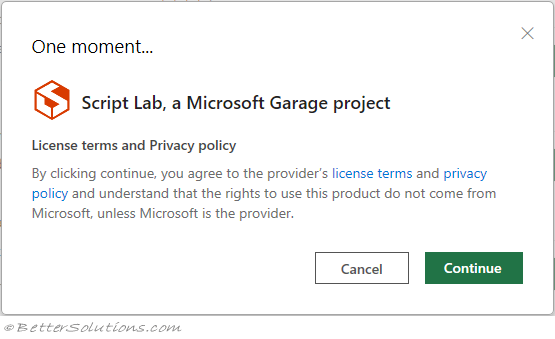
Press Add and Confirm the license agreement. Press Continue.
 |
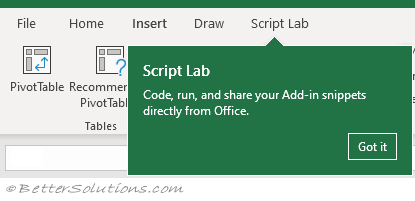
The "Script Lab" tab will appear on the Ribbon.
A popup notification message will also be displayed.
 |
© 2026 Better Solutions Limited. All Rights Reserved. © 2026 Better Solutions Limited TopPrevNext